BOOKS.SHOW – Touch Enabled WPF Windows 7 Ebook Reader App ‘Done With Microsoft’
At CES 2010 Steve Ballmer showed a WPF version of Blio which is an eBook reader available for all major desktop and mobile platforms. At MIX10, in one of the sessions on designing applications, developer Robby Ingebretsen showed a WPF based eBook reader for Windows that he did with Microsoft as part of the Windows 7 Developer Program.
BOOKS.SHOW is a simple WPF application with minimal feature set. The application sources books from Project Gutenberg, looks simple and quite neat. The opening window has the library view as opposed to the usual book covers. With categorizations based on authors, genres, time-period. The application has a nice implementation of bookmarks and has a scroll through the book option. The app also has some reading options like:
- Font size
- line spacing
- navigation through chapters, bookmarks and highlights
Animations and effects in the application work on computers without hardware acceleration. The applications will be open source and the source code will be available to download in coming weeks. Here’s a quick video tour of the application extracted from the MIX10 video:
Ingerbretsen talked about designing applications and showed three applications:
- BOOKS.SHOW – eBooks reader for Windows
- Seesmic for Windows
- TODO.SHOW – To-do app for Windows. Screen shot:
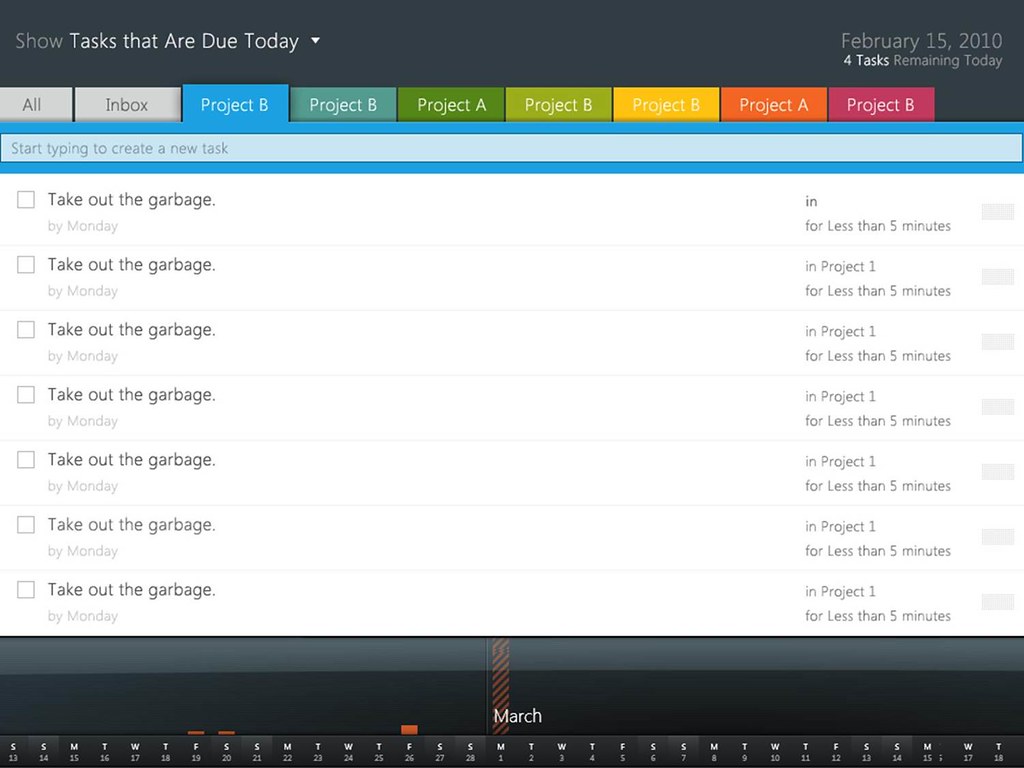
PS: The presentation (slides) is among the best MIX10 presentations I’ve seen.
Update: Thanks to Spineless anonymous for sharing the download link.


Where can this Books.Show application be found? Has it fallen into oblivion?
no bloody idea!
It’s pure serendipity because I had finally given up, here is the link to the Books.Show application and its source code for those interested:
http://code.msdn.microsoft.com/Books
Thanks for sharing this! Updated the post with the link :)
The link is dead :(
I want that project… Where can I get it?